 Lockimate
Guide ·
GTA 6 Wallpapers for iPhone — Where to Find Them, and How to Make One Move
GTA 6 wallpapers for iPhone come from two places: Rockstar's official promotional art and screenshots, and fan-made art. Either can be set as a static lock-screen wallpaper. Neither will move — iPhone lock screens only animate a native Live Photo, which you have to create from an image yourself.
Grand Theft Auto VI is developed by Rockstar Games and published by Take-Two Interactive. This page is independent editorial commentary and is not affiliated with either company.
Where GTA 6 iPhone Wallpapers Actually Come From
There are three separate sources, and they behave very differently once the image is on your phone.
| Source | What it is | Free to use on your own phone | Can it animate? |
|---|---|---|---|
| Official Rockstar art | Cover art, key art, screenshots and trailer frames published by Rockstar Games | Yes, as personal wallpaper — but it stays Rockstar's copyright, so no redistributing or selling | No — it is a flat image file |
| Fan art | Community renders and edits, widely shared on X, Reddit and Pinterest | Usually yes for personal use, with credit to the artist | No |
| Your own photo, in that visual style | A picture you took, restyled into the same neon-lit illustrated look | Yes — it is your image | Yes — it can be saved as a Live Photo |
Official art is the sharpest source, and Rockstar publishes it on rockstargames.com. Most of the "GTA 6 wallpaper packs" circulating in 2026 are actually fan-made, because Rockstar has released comparatively little official imagery outside the two trailers and the June 2026 cover reveal.
The third row is the one nobody writes about, and it is the only one that solves the animation problem. More on that below.
What Resolution Should a GTA 6 iPhone Wallpaper Be?
Match your iPhone's native resolution in portrait orientation. Most wallpapers marketed as "4K GTA 6 wallpapers" are 3840 × 2160 — a 16:9 desktop shape that loses roughly 40% of the frame when cropped to a phone's tall 19.5:9 screen.
| iPhone class | Native resolution (portrait) |
|---|---|
| 6.9" Pro Max (iPhone 16 Pro Max) | 1320 × 2868 |
| 6.7" Pro Max / Plus (iPhone 15 Pro Max, 14 Pro Max) | 1290 × 2796 |
| 6.1" standard and Pro (iPhone 15, 15 Pro, 16) | 1179 × 2556 |
| iPhone 13 / 14 | 1170 × 2532 |
Two composition rules matter more than raw pixel count. The clock occupies the top third of the lock screen, so anything important — a face, a logo, a skyline — needs to sit in the lower two thirds or it will be covered. And the bottom edge is where the flashlight and camera buttons sit. Our guide to editing your iPhone lock screen covers repositioning in detail.
How to Set a GTA 6 Wallpaper on Your iPhone Lock Screen
- Save the image to Photos.
- Open Settings → Wallpaper → Add New Wallpaper.
- Tap Photos and choose your image.
- Pinch to position it so the subject clears the clock.
- Tap Add, then Set as Wallpaper Pair.
If you want the clock to sit behind a foreground element, tap the layout button and enable Depth Effect — though iOS disables it automatically if it would obscure the time, and it does not work with widgets. The full walkthrough of every option lives on our iPhone lock screen guide and the iOS 26 wallpaper overview.
Can You Get a Live GTA 6 Wallpaper on iPhone?
Not as a download. No official animated GTA 6 wallpaper exists, and no file you download from a wallpaper site will move on an iPhone lock screen — regardless of what the site calls it.
This is the single most misunderstood thing in this whole category. iPhone lock screens animate exactly one format:
| Format | Animates on the lock screen? |
|---|---|
| JPEG | No |
| PNG | No |
| HEIC still | No |
| GIF | No |
| MP4 / MOV video | No |
| Live Photo (paired HEIC + MOV) | Yes |
A Live Photo is not a video file. It is a still image and a short motion clip stored together as one object with matching metadata, which is why iOS treats it differently from everything else in your camera roll. The distinction is explained fully in live wallpaper vs Live Photo.
So a "GTA 6 live wallpaper" can only exist if someone generates the motion and packages it in that format. That is what Lockimate does — it takes a still image and produces the paired file iOS expects.
Why Doesn't My GTA 6 Wallpaper Move on the Lock Screen?
Almost always because the file is a JPEG or a GIF rather than a Live Photo. Work through these in order:
- Check the format. Open the image in Photos. If there is no "LIVE" badge in the top-left corner, it cannot animate. A GIF saved from a wallpaper site is still a GIF.
- Check the Live toggle. When setting the wallpaper, the Live Photo button in the lower-left of the preview must be enabled.
- Low Power Mode suppresses lock-screen motion entirely. Turn it off in Settings → Battery.
- Reduce Motion. Settings → Accessibility → Motion → Reduce Motion will stop the animation.
- iOS version. Live Photo lock-screen wallpapers require iOS 17 or later. iOS 16 removed the feature and iOS 17 restored it.
If the file genuinely is a Live Photo and it still refuses to animate, it was probably re-encoded somewhere along the way — converted, shared through a messaging app, or exported by a third-party tool — which strips the metadata iOS relies on. Our guide on how to make a live wallpaper for iPhone covers what survives that round trip and what doesn't.
Making a Neon-Miami Style Wallpaper From Your Own Photo
The look people are chasing when they search for GTA 6 wallpapers is a fairly specific visual recipe: a magenta-to-violet sunset gradient, palm silhouettes, art-deco pastel buildings, chrome and neon highlights, and a hand-illustrated finish with heavy outlines rather than a photographic one.
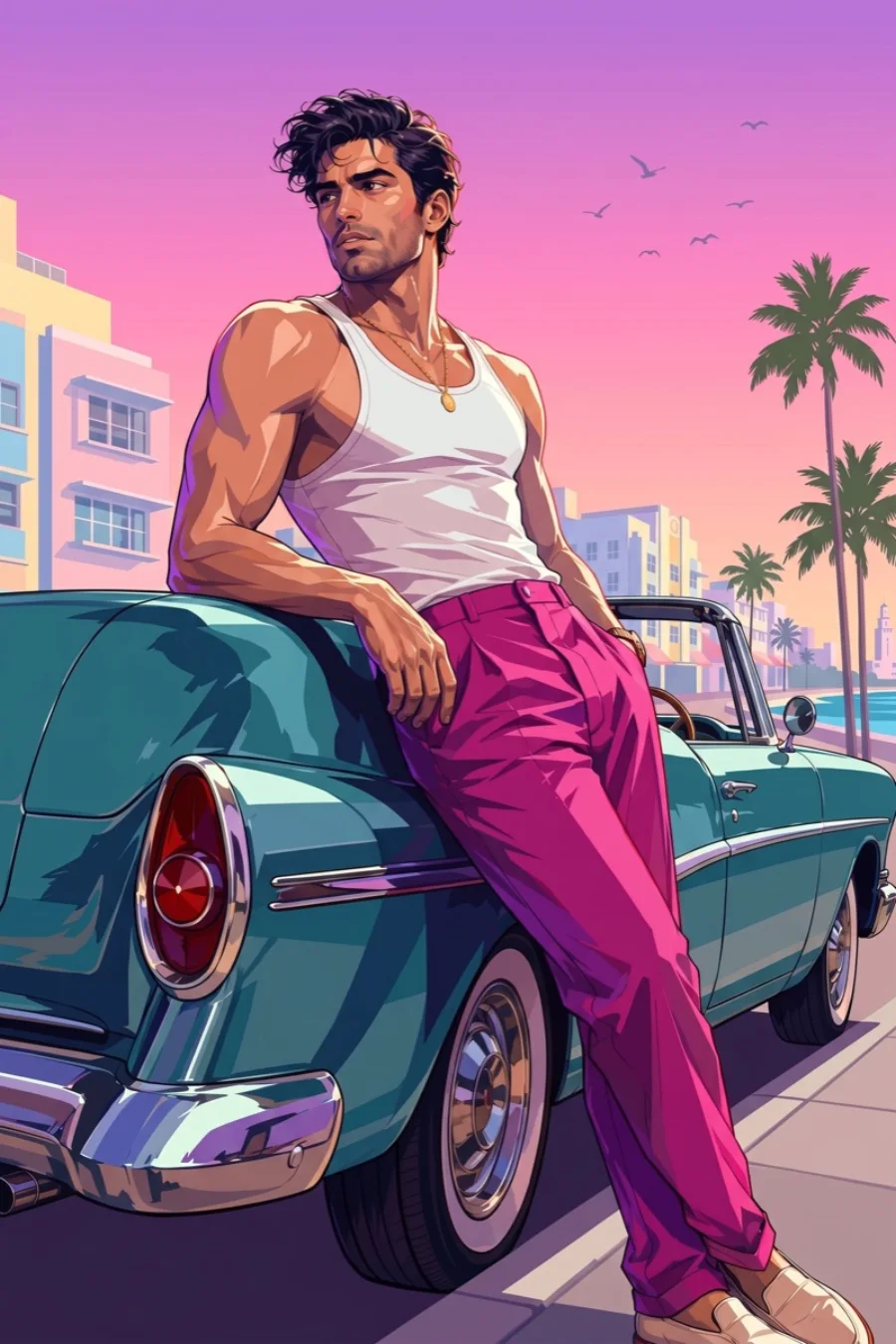
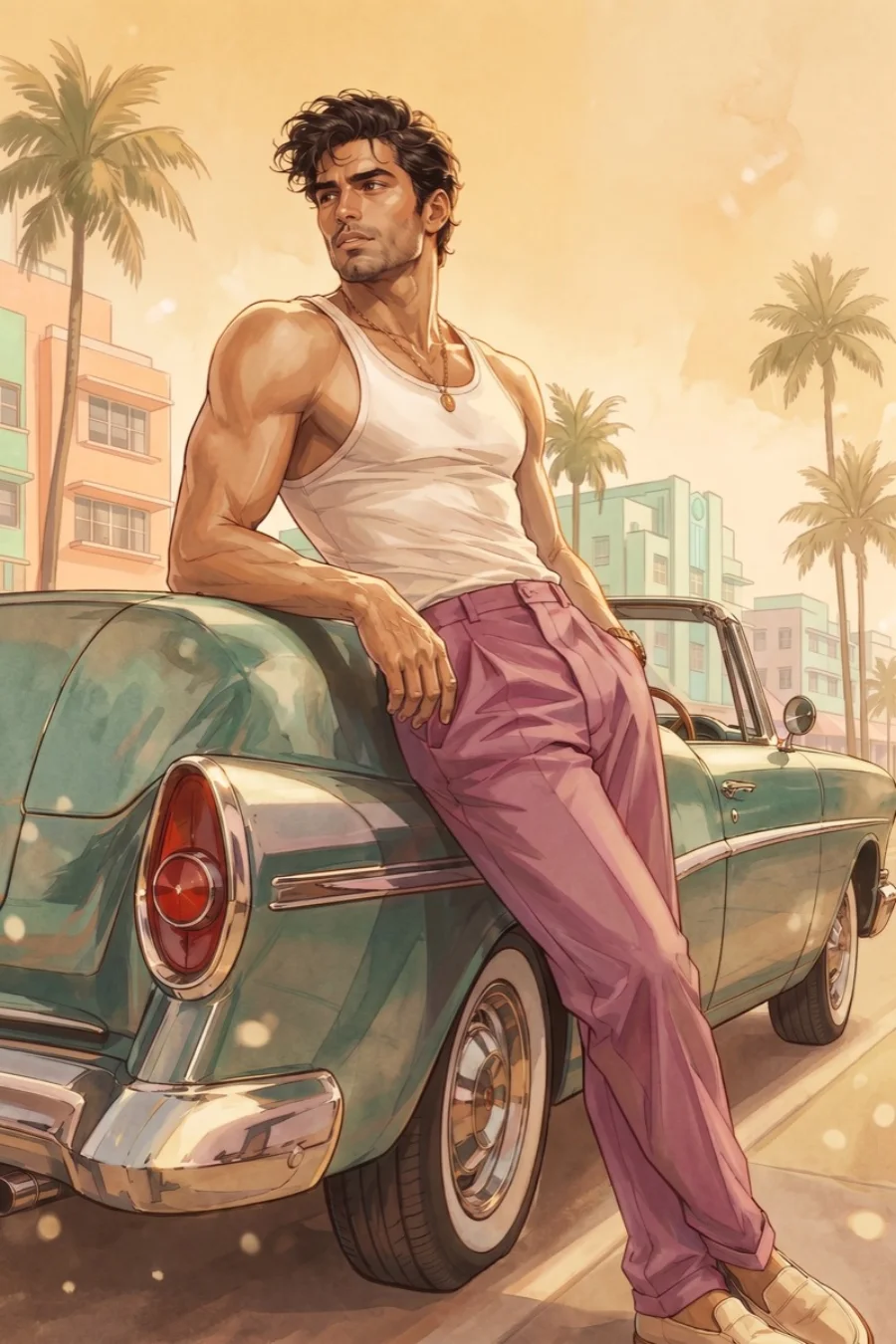
That aesthetic is not owned by anyone — it predates the game by decades, running back through 1980s Miami crime cinema and synthwave album art. You can apply it to a photo you already own.
In Lockimate, you pick a photo, choose the neon-Miami style, and the app restyles the image and then animates it — clouds drifting, neon flickering, light shifting across chrome — before saving the result as a native Live Photo. Because the output is a real paired HEIC + MOV file, it animates on the lock screen the same way a Live Photo shot on your camera does. Generation takes about two to three minutes.
The important distinction: this is your photograph rendered in a widely-used visual style. It contains no game artwork, no characters and no logos. If you want more on how the underlying animation works, see AI wallpaper for iPhone, or browse the aesthetic wallpaper and city collections.
Vice City and Leonida: What the Game's World Looks Like
Grand Theft Auto VI is set in the fictional US state of Leonida, Rockstar's analogue for modern Florida. The centrepiece is Vice City, a Miami stand-in that first appeared in the series in 2002, alongside Port Gellhorn, Grassrivers, Mount Kalaga National Park and the Leonida Keys.
Visually that means beaches, causeways, art-deco facades, swampland and neon-lit strips at dusk — which is why the wallpaper demand around this game skews so heavily toward sunset palettes and palm trees rather than the grey urban look of earlier entries. It is also why an ordinary beach or city photo taken at golden hour responds unusually well to the style described above.
When Does GTA 6 Come Out?
Grand Theft Auto VI releases on 19 November 2026 for PlayStation 5 and Xbox Series X|S. That date is confirmed by Rockstar and was reaffirmed by Take-Two Interactive in July 2026. (Correct as of 27 July 2026 — the date has already moved twice.)
No PC version has been announced. The game was originally targeted at 2025, moved to 26 May 2026, then moved again to its current November date for additional polish.
Two trailers have been released: the first on 4 December 2023, which set a record for the most-viewed game trailer in 24 hours, and the second on 6 May 2025, which passed 475 million views in under a day. Rockstar has not announced a third trailer as of 27 July 2026.
Each of these beats produces a sharp spike in wallpaper searches, because a new trailer means fresh frames that people immediately want as backgrounds — which is exactly when it is worth knowing how to make one of them move.
Frequently Asked Questions
Can you get a live GTA 6 wallpaper on an iPhone?
Not as a download. No official animated GTA 6 wallpaper exists, and iPhone lock screens only animate native Live Photos — a paired HEIC still and MOV clip. You have to create one from a still image yourself.
What resolution should a GTA 6 iPhone wallpaper be?
Match your model's native resolution: 1320 × 2868 for iPhone 16 Pro Max, 1290 × 2796 for the 6.7" Pro Max class, 1179 × 2556 for 6.1" models. Most "4K" wallpapers are 3840 × 2160 desktop crops and lose around 40% of the frame on a phone.
Why won't my GTA 6 wallpaper move on the lock screen?
Most likely it is a JPEG or a GIF — only a native Live Photo animates. Also check that Low Power Mode is off, that Settings → Accessibility → Motion → Reduce Motion is off, and that you are running iOS 17 or later.
Are GTA 6 wallpapers free to use?
Fan-made art is usually free for personal use with credit to the artist. Rockstar's official promotional art remains Rockstar's copyright — fine to set on your own phone, not fine to redistribute or sell.
When does GTA 6 come out?
19 November 2026, on PlayStation 5 and Xbox Series X|S, confirmed by Rockstar and reaffirmed by Take-Two Interactive. Correct as of 27 July 2026; the release date has moved twice previously.
Who are the characters on the GTA 6 cover?
Lucia Caminos and Jason Duval, the game's two playable protagonists. Lucia is the first playable female lead in a mainline Grand Theft Auto title.
Can I make my own photo look like GTA 6 art?
Yes. A style filter can render a photo you own in the same neon-Miami illustrated look, and Lockimate saves the result as a native Live Photo so it animates on the lock screen. It is your image in that style, not game artwork.
Lockimate is not affiliated with, endorsed by, or sponsored by Rockstar Games or Take-Two Interactive. Grand Theft Auto, GTA and Vice City are trademarks of their respective owners. This page is independent editorial commentary. Lockimate does not distribute game artwork — it animates photos you provide.
Want the neon-Miami look on your own photo — and moving, not frozen? Lockimate restyles your picture and saves it as a native Live Photo, so it animates when you wake your phone. Your first wallpaper is free.
Make my own wallpaper